The cheapest cloud server cost is $47 a month or $0.064 an hour. It comes with 8GB RAM and 100GB storage. It also has a dual-core CPU, perfect for simple tasks.
This basic setup is a good starting point to understand the costs of a cloud server. The price can change based on several things. These include the service provider, the server’s specs, and any extra services you might need.
Key Takeaways
- Minimum cloud server cost is $47/month or $0.064/hour.
- Basic configuration includes 8GB RAM and 100GB storage.
- Dual-core CPU is suitable for lightweight applications.
- Costs vary based on service provider and server specs.
- Additional services can impact overall cost.
Understanding Cloud Servers and Their Cost Factors
As businesses move to digital transformation, knowing about cloud servers and their costs is key. Cloud computing offers computing resources over the internet or a private network. It’s flexible and scalable for different business needs.
What Exactly is a Cloud Server?
A cloud server is a virtual server on a network of physical servers. It provides a flexible and scalable computing environment. This setup lets businesses quickly meet changing demands without big hardware costs.
Key Components That Influence Cloud Server Costs
Several components affect the cost of a cloud server. These include:
- Processor and Memory: The type and amount of CPU and RAM impact performance and cost.
- Storage: The choice between SSD and HDD affects performance and expense.
- Networking: Bandwidth and network setup are key to costs.
| Component | Low-Cost Option | High-Cost Option |
|---|---|---|
| Processor | Dual-core CPU | Multi-core CPU |
| Memory | 4GB RAM | 16GB RAM |
| Storage | 500GB HDD | 2TB SSD |
DIY Cloud Server vs. Commercial Cloud Services
Businesses must choose between a DIY cloud server and commercial services. DIY offers customization and control. Commercial services provide convenience, scalability, and support. The choice depends on your business needs, budget, and technical skills.
Understanding these factors is key to making a good choice. Whether you choose DIY or commercial services, carefully assess your needs and plan ahead.
Hardware Requirements and Their Costs
Hardware costs are key in figuring out how much it costs to build a cloud server. The parts you choose affect how well it works, how big it can grow, and how reliable it is.
Processor and Memory Considerations
The processor and memory are very important for a cloud server’s performance. CPU options range from affordable AMD EPYC to top-notch Intel Xeon processors. The amount of RAM needed depends on what you plan to use it for. For example, a basic setup might have 8 CPU cores and 16 GB of RAM. But, a more powerful setup could have 32 cores and 64 GB of RAM or more.

Storage Solutions and Their Price Points
Storage is also very important, with choices like HDD, SSD, and NVMe. The right storage depends on how much you need and how fast you need it. HDDs are cheaper but slower, while SSDs and NVMe drives are faster but pricier. For instance, a 1 TB NVMe SSD is more expensive than a 4 TB HDD but is much faster.
Networking Equipment Costs
Networking equipment, like switches, routers, and network cards, is vital for connecting and moving data. The cost varies based on speed and capacity. For example, a 10 GbE switch is pricier than a 1 GbE switch but offers much faster speeds. When setting up a cloud server, finding the right balance between cost and performance is key.
Choosing the right hardware can help you build a cloud server that fits your needs without breaking the bank.
Software and Licensing Expenses
Knowing the costs of software and licensing is key to managing cloud server costs. When setting up a cloud server, you need different software pieces. Each has its own pricing and licensing rules.
Operating System Options and Costs
The operating system (OS) you choose affects the total cost. You can pick from free or low-cost Linux options like Ubuntu or CentOS. Or, you might go for a commercial OS like Windows Server, which can be more expensive.
Virtualization Software Pricing
Virtualization software is vital for managing virtual machines on your cloud server. Options like VMware vSphere and Microsoft Hyper-V offer great features. But, their prices vary, depending on how you license them.
Management Tools and Their Expenses
Management tools help keep your cloud server running smoothly. They include tools like vCenter and Microsoft System Center. The cost of these tools can change based on how big your setup is.
| Software Component | Licensing Model | Cost Range |
|---|---|---|
| Linux OS | Open-source | $0 – $500 |
| Windows Server | Per-core licensing | $1,000 – $6,000 |
| VMware vSphere | Per-socket licensing | $2,000 – $10,000 |
| Microsoft Hyper-V | Included with Windows Server | $0 (with Windows Server license) |
Understanding these costs helps businesses plan their cloud server budgets better.
Infrastructure and Facility Costs
Building a cloud server comes with big costs. You need to think about the physical setup and the place where the servers will be. These costs add up quickly.
Power Requirements and Energy Costs
Power is a big ongoing cost for cloud servers. Data centers use a lot of electricity. The cost can change based on where the data center is and how efficient it is.
Energy Efficiency Measures:
- Using LED lighting
- Implementing efficient cooling systems
- Optimizing server utilization
Cooling Solutions and Their Expenses
Cooling is key for data centers. The cost of cooling can vary a lot. It depends on the size of the data center, the climate, and what cooling is needed.
Advanced Cooling Techniques:
- Liquid cooling
- Free cooling
- Airside economization
Physical Space and Security Considerations
The space needed for cloud servers and keeping it safe also costs money. This includes the cost of the land, building security, and keeping it safe from physical threats.
| Cost Component | Description | Estimated Cost Range |
|---|---|---|
| Power Consumption | Cost of electricity for running servers | $5,000 – $50,000 per year |
| Cooling Systems | Cost of implementing and running cooling solutions | $2,000 – $20,000 per year |
| Physical Space | Cost of real estate and facility maintenance | $1,000 – $10,000 per month |
| Security Measures | Cost of implementing and maintaining security | $500 – $5,000 per month |
Knowing these costs is key for a good cloud server cost analysis and cloud server pricing comparison. This helps businesses make smart choices about their cloud server investments.
How Much Does It Cost to Build a Cloud Server: Complete Breakdown
Understanding the costs of cloud servers is key to finding the best deal for your needs. The price can change a lot, depending on how big your project is and what you need.
Entry-Level Cloud Server Setup ($500-$2,000)
For small businesses or startups, an entry-level cloud server is perfect. It meets basic computing needs. This includes:
- A basic processor and 8-16 GB of RAM
- Storage ranging from 256 GB to 1 TB
- Basic networking equipment
Prices start at $500 and can go up to $2,000, based on the parts you choose.
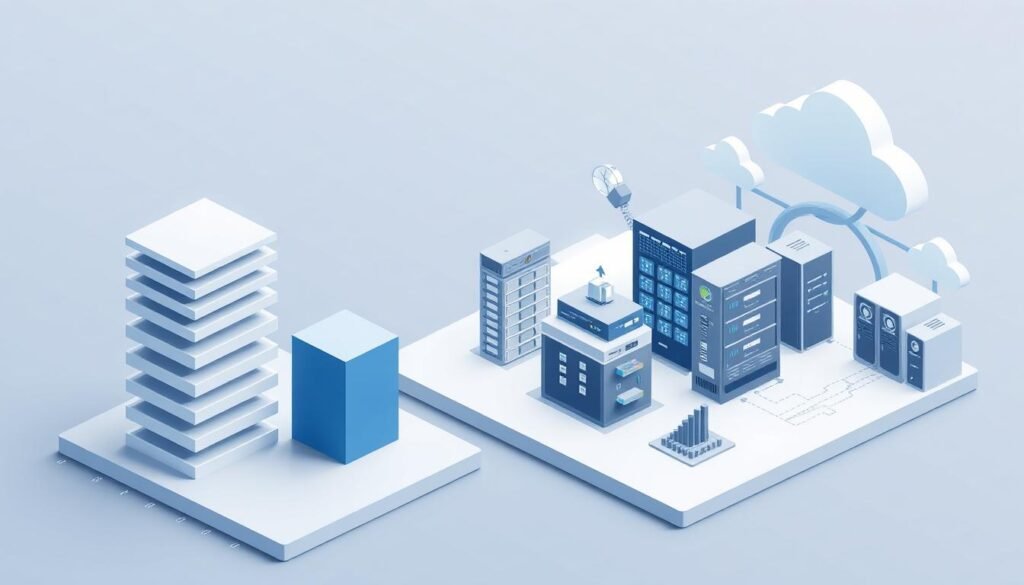
Mid-Range Cloud Server Configuration ($2,000-$5,000)
For businesses growing fast, a mid-range cloud server is a good choice. It offers better performance. This includes:
- A more powerful processor and 16-32 GB of RAM
- Storage options ranging from 1-2 TB
- Advanced networking capabilities
Prices for a mid-range setup range from $2,000 to $5,000. It’s a good balance of performance and cost.
“The key to a cost-efficient cloud server setup is understanding your specific needs and scaling your infrastructure accordingl.”
Enterprise-Grade Cloud Server Setup ($5,000+)
Large organizations need top-notch cloud servers. These setups have:
- High-performance processors and 32 GB or more of RAM
- Large storage capacities, often exceeding 2 TB
- Advanced security and networking features
Prices for these setups go over $5,000. They offer the highest performance and reliability.
In conclusion, the cost of a cloud server varies a lot. Knowing your options helps businesses make smart IT investments.
Step-by-Step Guide to Building a Cost-Effective Cloud Server
Creating a cost-effective cloud server needs a smart plan. You must figure out what resources you need. This guide will help you build a cloud server that fits your needs without spending too much.
Step 1: Define Your Requirements and Budget
First, you need to know what you need and how much you can spend. It’s important to understand your workload, storage needs, and network requirements. As Forrester says, “Knowing your workload is key to the right cloud size.” Set a budget based on your needs to help choose the right parts.
Step 2: Select and Purchase Components
Picking the right parts is key for a cost-effective cloud server. Choose a processor that’s both fast and affordable. For storage, mix SSD and HDD for the best performance and cost. Make sure your networking gear is scalable and reliable. HP Enterprise and Dell Technologies have many options.
Step 3: Assemble Hardware Components
Putting the hardware together needs attention to detail. Make sure all parts fit and are connected right. Good cable management keeps things clean and efficient. As CRN points out, “Good cable management helps with airflow and keeps things cool.”
Step 4: Install and Configure Software
The last step is setting up the software. Pick an operating system like Ubuntu or CentOS. Use virtualization software like VMware or Hyper-V to use resources well. Make sure you have tools for monitoring and upkeep.
By following these steps, you can create a cloud server that’s affordable and meets your needs. A well-thought-out cloud setup can cut costs and boost efficiency.
“The cloud is not just a destination; it’s a journey that requires careful planning and execution.”
Ongoing Operational Costs to Consider
Building a cloud server means looking at more than just the start-up costs. You also need to think about the ongoing expenses that will affect your budget. It’s important to calculate cloud server setup expenses accurately. This includes understanding the recurring costs to make a solid budget plan.
Maintenance and Support Expenses
Keeping your cloud server running well is key. This includes updates, patches, and fixing issues. The cost of maintenance can change based on whether you do it yourself or hire someone else. Here are some costs to consider:
- IT staff salaries or contractor fees
- Software and tool costs for maintenance
- Training and professional development for IT staff
Upgrade and Scaling Costs
As your needs grow, you might need to upgrade your server or scale your setup. This could mean buying new hardware, like faster processors or more storage. Think about these costs:
- Hardware upgrade costs
- Labor costs for upgrading equipment
- Potential downtime costs during upgrades
Backup and Disaster Recovery Expenses
Keeping your data safe is a must. Backup and disaster recovery solutions protect your data from failures, attacks, or disasters. Here are the costs:
- Backup software and storage costs
- Implementation and maintenance of disaster recovery plans
- Testing and updating disaster recovery procedures
Real-World Case Studies: Cloud Server Build Costs
Looking at real-world examples gives us a clear view of cloud server build costs. Each company has its own cloud needs, which change their costs. By studying these examples, we learn what affects cloud server pricing.
Small Business File Server Example
A small business might need a cloud server for storing and sharing files. For example, a company with 20 employees might want a server with enough storage and power. The price for such a server could be between $800 and $1,500, based on the hardware and software choices.
Web Hosting Environment Case Study
A web hosting company needs a strong cloud server to handle many websites. This means more processors, RAM, and network gear. Building such a server could cost between $3,000 and $6,000, due to the need for reliability and uptime.
Development and Testing Environment Example
A software development company might use a cloud server for testing and development. This setup needs a mix of power and storage. The cost can range from $1,200 to $3,000, depending on the software needs and user count.
These examples show how different needs impact cloud server costs. Knowing this helps companies plan and budget for their cloud server needs better.
Common Pitfalls and Hidden Costs to Avoid
To keep your cloud server setup affordable, it’s important to watch out for hidden costs and mistakes. Setting up a cloud server requires many choices that can affect the cost. Knowing these factors helps in planning a setup that’s both efficient and budget-friendly.
Underestimating Resource Requirements
One big mistake is underestimating what your cloud server needs. This can cause poor performance and expensive upgrades. Make sure you know exactly how much processing power, memory, and storage you need to avoid this problem.
Overlooking Compatibility Issues
Ignoring compatibility problems between hardware and software can lead to high costs. Make sure all parts of your cloud server work well together from the start. This prevents the need for costly replacements or upgrades later on.
Neglecting Security and Compliance Costs
Ignoring the costs of security and compliance is a big mistake. Meeting all security standards and compliance rules can cost extra. But it’s essential for keeping your data safe and avoiding legal trouble.
| Hidden Cost | Description | Estimated Cost |
|---|---|---|
| Data Egress Fees | Charges for data transferred out of the cloud | $0.05 – $0.20 per GB |
| Support Costs | Expenses for technical support and maintenance | $500 – $2,000 per year |
| Termination Fees | Charges for terminating a cloud service contract early | $1,000 – $5,000 |
Knowing about these common pitfalls and hidden costs helps you plan better. With careful planning and research, you can set up a cloud server that’s both effective and affordable.
Conclusion
Creating a cloud server involves many things, like hardware, software, and ongoing costs. It’s key to budget well to make sure your setup fits your needs and doesn’t break the bank.
There are several main costs to consider. These include hardware, software, the setup itself, and the day-to-day running costs. Each part adds up to the total cost of your cloud server.
To keep your budget in check, plan carefully. Choose the right hardware and software for your needs. Also, think about how your setup might grow or need updates in the future.
Knowing the different costs and making smart choices can help you build a cloud server that’s both affordable and effective. Experts say, “a well-planned cloud infrastructure can cut down on costs and boost efficiency.”
In short, while setting up a cloud server is a big deal, with good planning and budgeting, you can handle the costs well.
Sources
For a deeper look into cloud server cost analysis, check out these resources. They offer valuable insights and data.
Visit Amazon Web Services Pricing to see detailed pricing for cloud services. This helps you estimate costs for your cloud server setup.
Google Cloud Pricing has a guide on building and managing cloud servers. It breaks down costs for different configurations.
At DigitalOcean Pricing, you’ll find more on cloud server costs and how to optimize them. They have a simple pricing model for cloud servers.
These sources are full of information for a detailed cloud server cost analysis. They help you make smart choices for your cloud infrastructure.
FAQ
What is the estimated cost to build a cloud server?
Building a cloud server can cost anywhere from 0 for a basic setup to over ,000 for a top-tier model. This depends on the type of hardware, software, and infrastructure you choose.
How much does cloud server hardware cost?
Cloud server hardware prices vary. Basic parts can cost a few hundred dollars. But, high-end equipment can cost thousands, depending on what you need.
What are the software costs associated with building a cloud server?
Software costs can range from free or low-cost for open-source options to hundreds or thousands for commercial licenses. This includes the operating system, virtualization software, and management tools.
How do infrastructure and facility costs impact the total cost of a cloud server?
Infrastructure and facility costs are big factors. They include power, cooling, and space needs. These costs can add up, more so for large or enterprise setups.
What are the ongoing operational costs for a cloud server?
Ongoing costs include maintenance, support, and upgrades. You also need to think about backup and disaster recovery. These costs vary based on your server’s complexity.
How can I build a cost-effective cloud server?
To save money, start by setting clear needs and a budget. Choose your parts wisely and assemble them well. Then, install and set up your software efficiently.
What are some common mistakes to avoid when building a cloud server?
Avoid underestimating needs and overlooking compatibility. Also, don’t forget about security and compliance costs. These mistakes can increase expenses and lower performance.
How do I estimate the total cost of ownership for a cloud server?
To estimate total costs, consider initial costs and ongoing expenses. This includes maintenance, upgrades, and disaster recovery. This gives you a full picture of the costs.
What are the benefits of building a DIY cloud server versus using commercial cloud services?
DIY servers offer flexibility and customization, possibly saving money. Commercial services provide scalability and reliability, with less management needed. Your choice depends on your specific needs.
How can I optimize my cloud server for cost and performance?
Plan your setup carefully, choosing the right hardware and software. Monitor usage and adjust as needed. Also, use efficient management and maintenance practices.